
HMI (Human Machine Interface)
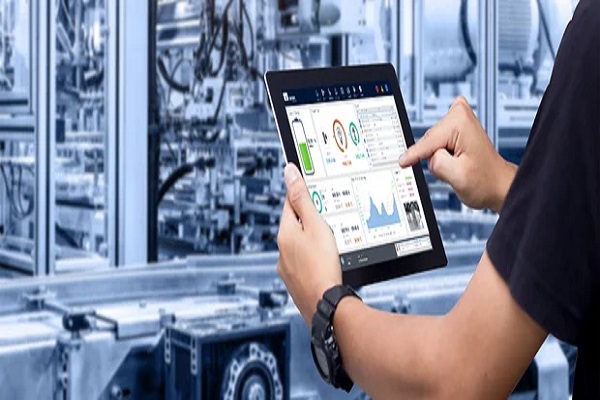
A Human-Machine Interface (HMI) is a dashboard or screen that allows operators to monitor, control, and interact with machinery, systems, or software, translating complex data into easy-to-understand visuals for efficient operation, monitoring, and data analysis in various industries like manufacturing, energy, and transportation. It serves as a crucial intermediary, converting human inputs into machine commands and providing real-time feedback through graphical displays, touchscreens, or physical controls, enhancing automation, safety, and productivity.
Key Functions
- Data Visualization: Displays real-time data (e.g., pressure, temperature, status) clearly through charts, graphs, and symbols.
- Control & Operation: Enables operators to start, stop, adjust parameters, and manage machine functions.
- Monitoring: Allows tracking of KPIs, production trends, and machine performance.
- Alarm Management: Alerts users to anomalies or failures, helping with diagnosis and maintenance.
- Configuration: Permits setting operational sequences and customizing settings.
Types & Examples
- Industrial HMIs: Touchscreen panels in factories for controlling assembly lines.
- Consumer Devices: Touchscreens on smart appliances (washing machines, refrigerators).
- Software-Based: Graphical User Interfaces (GUIs) on computers for SCADA systems.
- Physical Controls: Keyboards, pushbuttons, and multi-touch panels.
Benefits
- Improved Efficiency: Real-time data allows for quick adjustments and streamlined workflows.
- Enhanced Safety: Separates operators from dangerous machinery and provides clear warnings.
- Reduced Downtime: Proactive monitoring helps prevent failures and speeds up maintenance.
- User-Friendly Experience: Simplifies complex operations, reducing training time and error.